重置时间Reset times
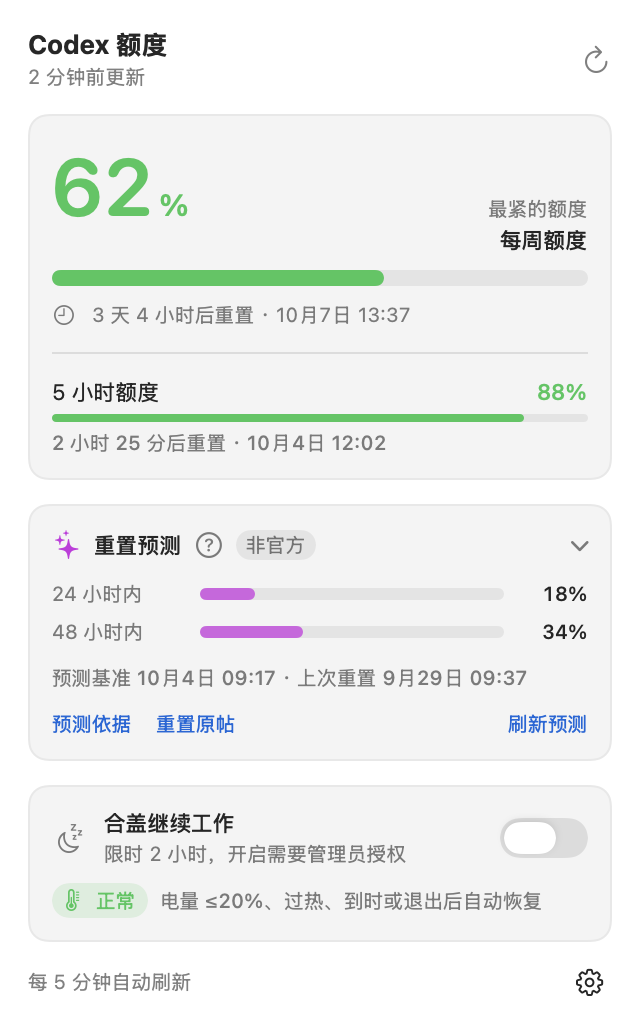
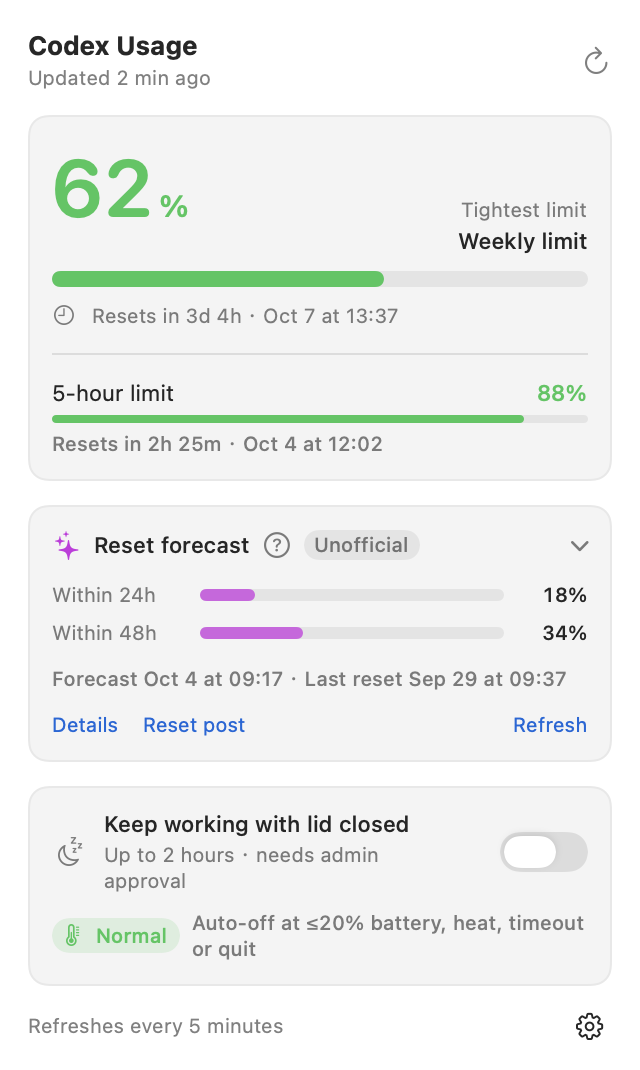
显示每项额度距离重置还有多久,也可以查看具体日期和时间。See how long remains until each limit resets, along with the date and time.
macOS 菜单栏工具macOS menu bar app
还剩多少额度、什么时候重置,随时看一眼。点开面板查看详细用量,也支持额外重置预测和合盖运行。See your remaining usage and reset times. Open the panel for details, third-party reset forecasts, and a lid-closed mode.
免费开源 · macOS 13 及以上 · 支持中文和英文
需在本机编译Free and open source · macOS 13+ · Chinese and English
Build from source on your Mac
额度不多时,图标会变色The icon changes colour as usage runs low
额度充足时显示绿色,剩余不超过 20% 时变橙,不超过 10% 时变红。数据长时间未更新,图标会变淡。Green means usage is available. The icon turns orange at 20% remaining or less, and red at 10% or less. It fades when the data is out of date.
有多项额度限制时,默认显示剩余比例最低的一项。也可以只显示百分比或图标。With multiple usage limits, the icon shows the lowest remaining percentage. You can choose to show only the percentage or the icon.
功能Features
查看各项额度、重置时间和当前状态。右键图标可打开快捷操作。View your usage limits, reset times, and current status. Right-click the icon for quick actions.
显示每项额度距离重置还有多久,也可以查看具体日期和时间。See how long remains until each limit resets, along with the date and time.
查看未来 24 或 48 小时发生额外重置的预测概率。数据来自 Codex Reset Monitor,仅供参考,不代表一定会重置。View estimated chances of an extra reset within 24 or 48 hours. These third-party estimates from Codex Reset Monitor do not guarantee a reset.
临时阻止 Mac 休眠,让任务在合盖后继续运行,每次最长 2 小时。到时、低电量或过热时自动恢复休眠。Keep your Mac awake with the lid closed for up to 2 hours. Normal sleep resumes when the timer expires, the battery runs low, or the Mac overheats.
每 5 分钟更新一次额度,电脑唤醒后也会刷新。读取失败时保留上次结果,并提示重试。Usage updates every 5 minutes and after your Mac wakes. If a read fails, the panel keeps the previous result and offers a retry.
默认跟随系统语言,日期和时间按本机设置显示。也可以在系统设置中单独指定应用语言。The app follows your system language and local date and time settings. You can set its language in System Settings.
通过本机已登录的 Codex CLI 读取额度,无需再次登录。本工具不复制或上传登录凭据。Read usage through the Codex CLI you have signed in to on your Mac. No additional sign-in is needed, and the app does not copy or upload your credentials.
界面Screens
支持浅色和深色模式。Choose light or dark mode.
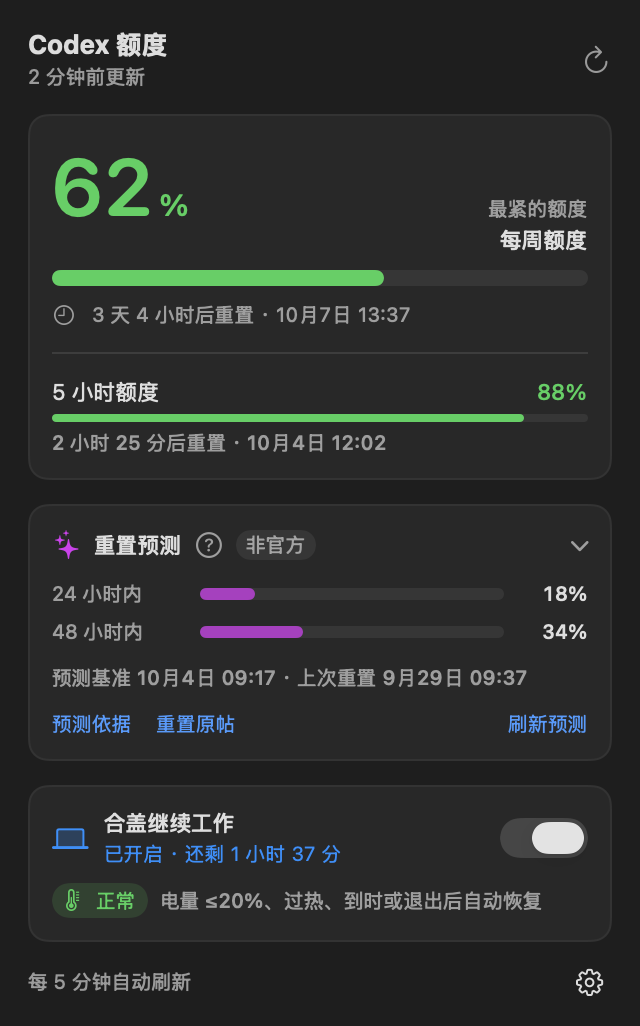
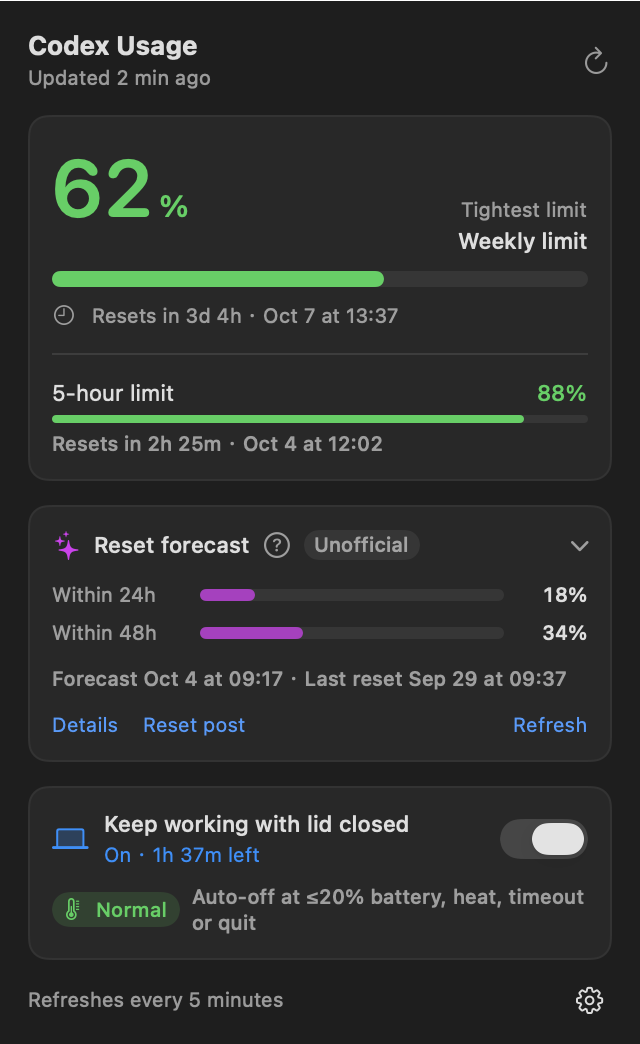
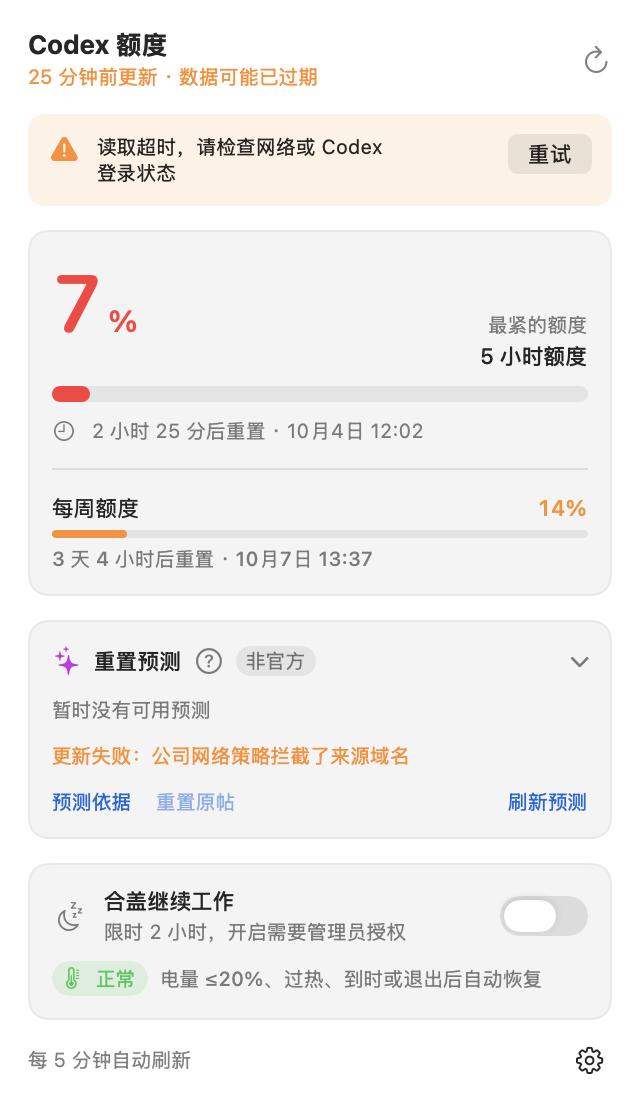
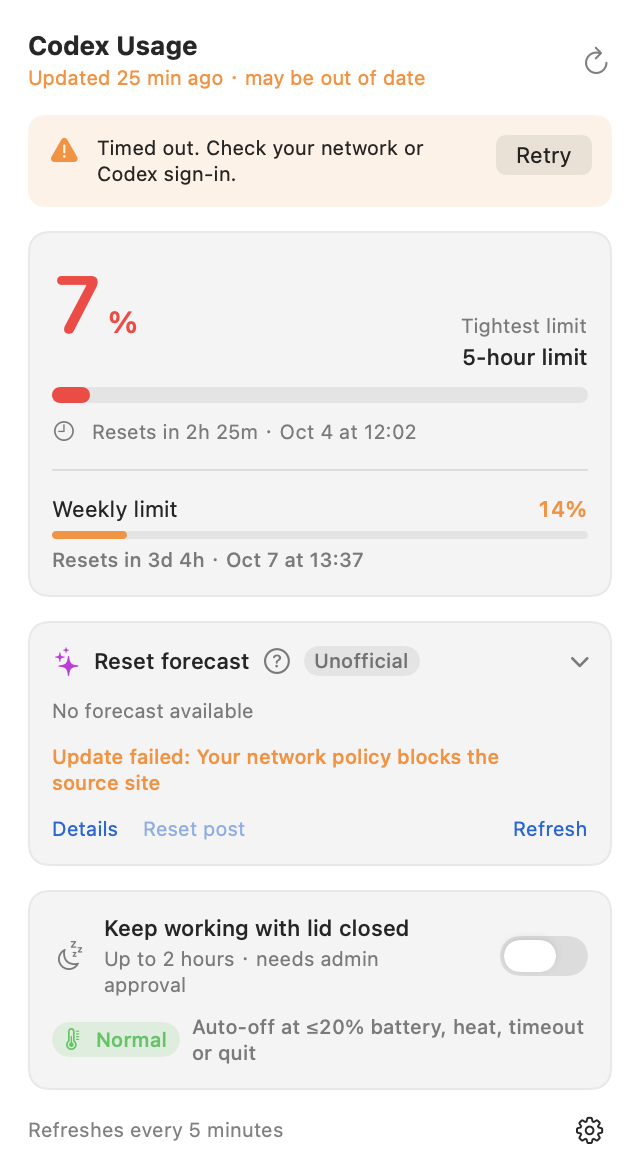
截图使用示例数据。Screenshots use sample data.
工作原理How it works
无需额外注册账号。应用在本机运行,重置预测需要联网获取。No additional account is needed. The app runs on your Mac; reset forecasts require an internet connection.
通过本机 Codex CLI 读取剩余额度和重置时间,需要先安装并登录 Codex CLI。Reads remaining usage and reset times from the local Codex CLI. Install the CLI and sign in first.
从 Codex Reset Monitor 获取公开预测。超过 6 小时未更新的数据不再显示。Fetches public forecasts from Codex Reset Monitor. Forecasts older than 6 hours are hidden.
启用时需要管理员授权。到时、退出应用或触发保护条件后,恢复正常休眠。Requires administrator approval when enabled. Normal sleep resumes on timeout, app exit, or a protection condition.
安装Install
目前需要从源码构建。请先安装 Xcode 命令行工具,并确认 Codex CLI 已安装、已登录。Build from source on your Mac. Install Xcode Command Line Tools, then install the Codex CLI and sign in. Requires macOS 13 or later.
git clone https://github.com/jianlanglinhei/codex-usage-menubar.git
cd codex-usage-menubar
./scripts/build.sh && ditto build/CodexUsage.app ~/Applications/CodexUsage.app
open ~/Applications/CodexUsage.app

# 可选:只读检查当前额度# Optional: read-only usage check
build/CodexUsage.app/Contents/MacOS/CodexUsage --check
安装完成后,打开 Codex Usage 即可在菜单栏查看额度。需要开机自动运行,可在设置中开启“登录时启动”。After installation, open Codex Usage to see your usage in the menu bar. Enable “Open at login” in the app settings to start it when you sign in.
常见问题FAQ
不是。这是一个独立的开源项目,额度数据通过本机 Codex CLI 读取。No. This is an independent open-source project that reads usage through the local Codex CLI.
不需要。安装并登录 Codex CLI 后,应用会沿用现有登录状态,不复制或上传登录凭据。No. Once you install and sign in to the Codex CLI, the app uses that sign-in without copying or uploading credentials.
面板里的重置时间来自你的账户额度信息;额外重置预测来自第三方,只是对未来是否发生额外重置的估计,两者不是一回事。Your reset times come from your account usage information. Extra reset forecasts are third-party estimates of whether an additional reset might occur.
每次最长 2 小时。到时、退出应用、应用无响应、电量不超过 20% 或系统过热时,会恢复休眠。使用时请保持通风。Each session lasts up to 2 hours. Sleep resumes on timeout, app exit, an unresponsive app, battery at 20% or less, or overheating. Keep your Mac ventilated.
默认跟随系统语言。也可以前往“系统设置 → 通用 → 语言与地区 → 应用”,为 Codex Usage 单独选择语言,重新打开后生效。The app follows your system language. To choose another, go to System Settings → General → Language & Region → Applications, select a language for Codex Usage, and reopen the app.